
Virtual tours 360 for real estate
Drop in the JPGs straight from an Insta360 or Theta, click the doorways to link the rooms, publish. The link opens in any browser — no plugin, no app, nothing to install.
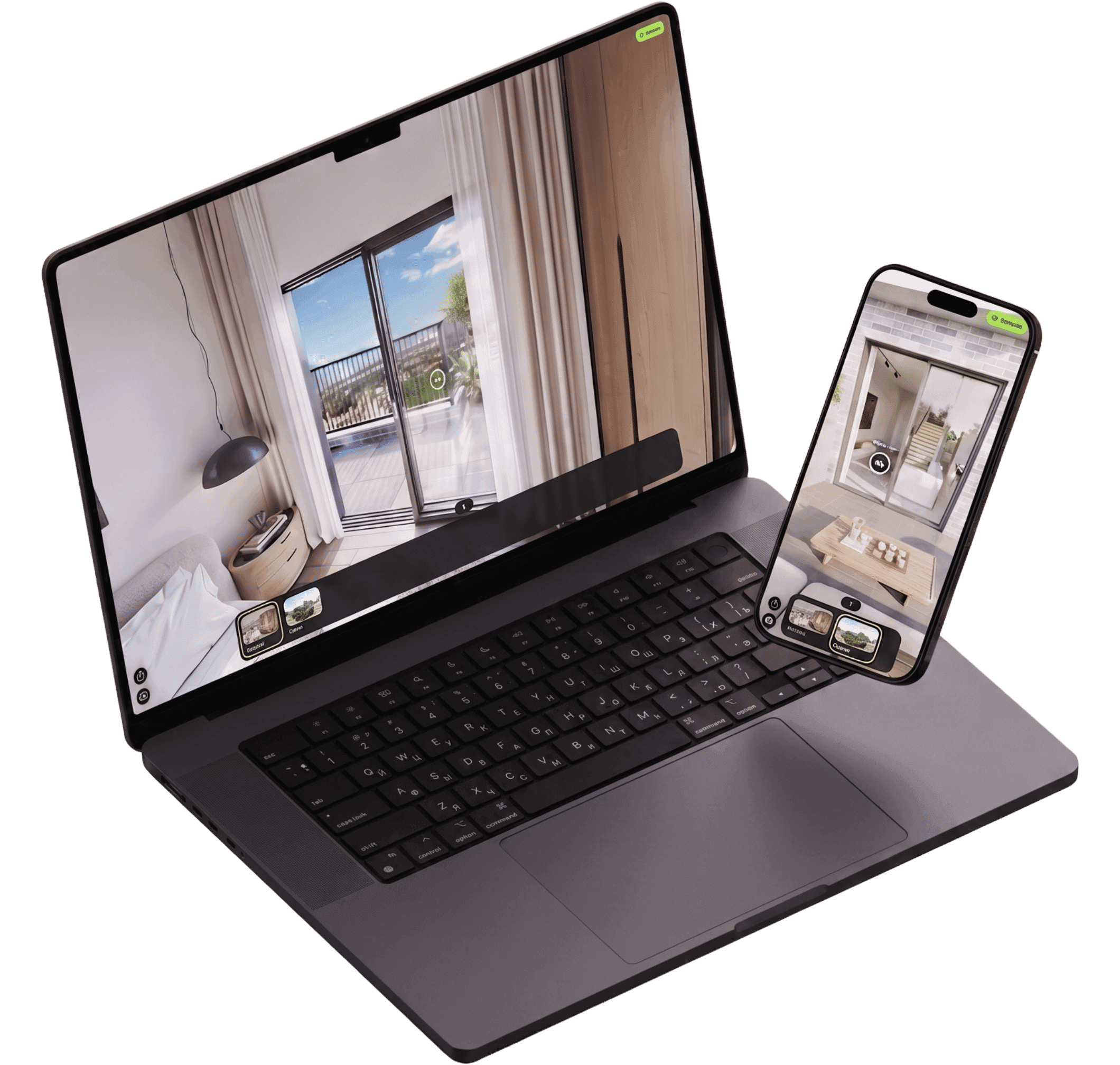
This is a real tour, not a video of one.
Drag it, walk through the doorways, open the info points. Exactly what your visitor gets.
Bring panoramas from anything that shoots 360°
Three steps to a link you can send.
No modelling, no site survey, no crew. If you have the photos, you have the tour.
Upload panoramas
Straight from the camera. Name them once — Living room, Kitchen — and they become scenes.
Drop hotspots
Click a doorway to link two scenes. Click a fireplace to attach a note. That is the whole editor.
Share one link
Publish, then send the URL or paste the iframe into your own site. Unpublished tours stay private, even by direct link.
Everything the walkthrough needs. Nothing it doesn't.
Two kinds of hotspot
A lime dot opens a note. A white ring walks you into the next room. Drag either one to reposition it.
Gyroscope
On a phone, look around by moving the phone.
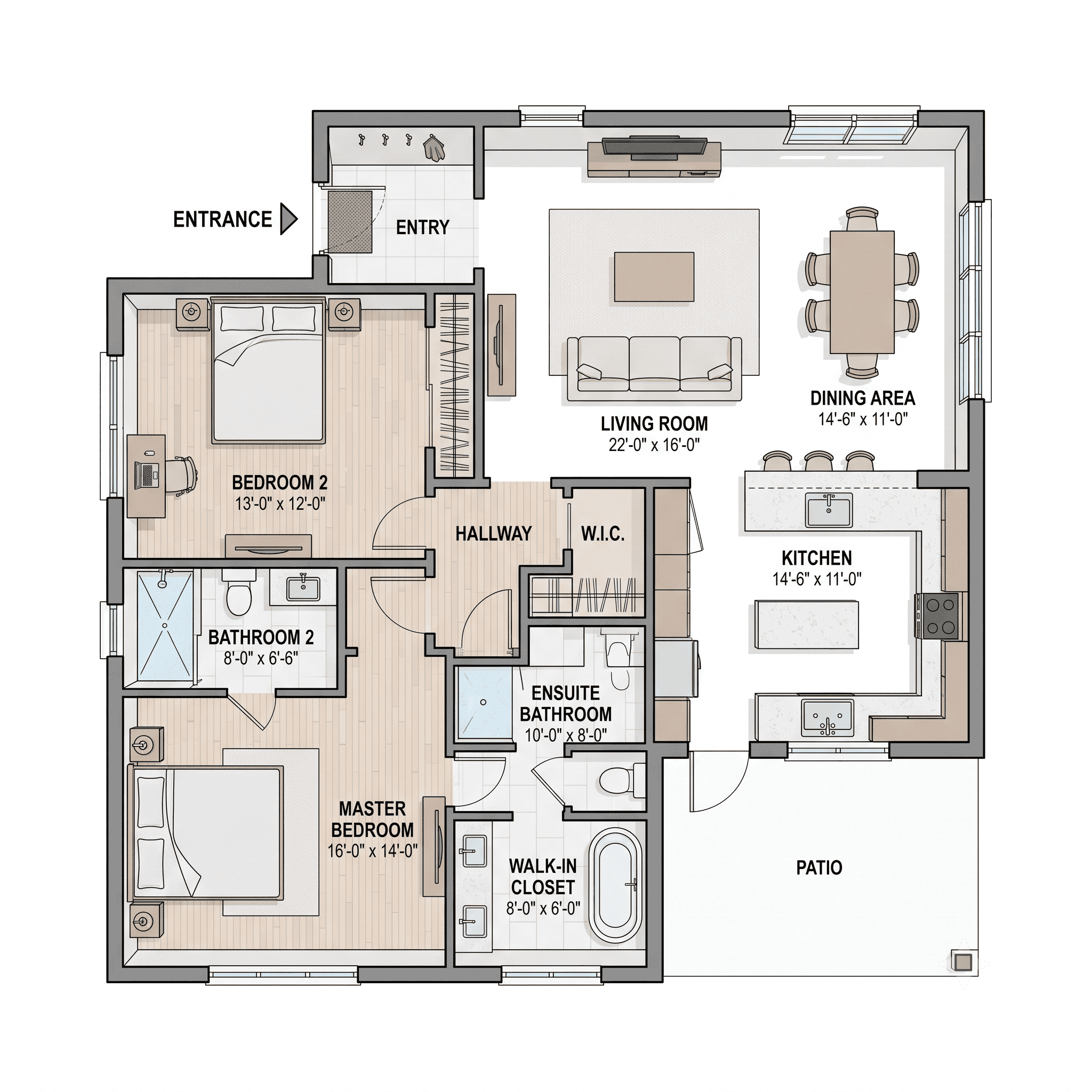
Floor plan
Upload the plan, pin each scene to it. Visitors always know which room they are standing in.
Mobile first
Same tour, same link, no separate mobile build.
Lead capture
A form inside the tour. Answers land in your dashboard.
Analytics
Views per tour and leads per tour, counted for you.
Embed anywhere
<iframe src="pandatour360.com/t/…" allowfullscreen />“A photo tells someone what a room looks like. A tour tells them what it feels like to be in it — and that is the part that makes them pick up the phone.”
Why we built PandaTour 360
Start free. Move up when the tours start paying for themselves.
Starter
$0/mo
$0/mo
Enough to find out whether tours work for you.
- 3 tours
- Both hotspot types
- Embed anywhere
Pro
Most picked$19.99/mo
$15.99/mo
For the person publishing tours every week.
- 30 tours
- Lead capture
- Analytics
- Floor plans
Studio
$29.99/mo
$23.99/mo
For agencies putting their own name on the work.
- Unlimited tours
- Everything in Pro
- Best-quality photos
- Your logo on tours
- Priority support
Straight answers about 360° tours.
What is virtual tour software?
Software that turns 360° photos into an interactive walkthrough: visitors move room to room in the browser, open notes on hotspots, and share one link — no app install.
What is PandaTour 360?
PandaTour 360 is web-based 360° virtual tour software. Upload equirectangular panoramas, link scenes with hotspots, optionally pin a floor plan, then publish a public link or embed the tour in an iframe.
Who is PandaTour 360 for?
Estate agents, hotels, showrooms, and anyone who already shoots 360° photos and needs a walkable link for listings or spaces — without a site survey or 3D modelling crew.
How do you create a 360° virtual tour?
Upload the panoramas, name each scene, click doorways to link rooms (and add info hotspots where useful), publish. A shareable link is ready in about ten minutes if the photos are already shot.
Which cameras work with PandaTour 360?
Any device that outputs an equirectangular 2:1 image — Insta360, Ricoh Theta, Matterport exports, stitched DSLR or drone panoramas.
Do visitors need an app to view the tour?
No. A published tour opens in any modern browser on phone or desktop. On phones, the gyroscope can steer the view.
Your next listing could be walkable by tonight.
Upload the panoramas you already have and see how far you get in ten minutes.
No card required. Three tours on the free plan.